App Store promo codes
Redeem promo code
Follow these simple steps to redeem your iOS App Store promo code
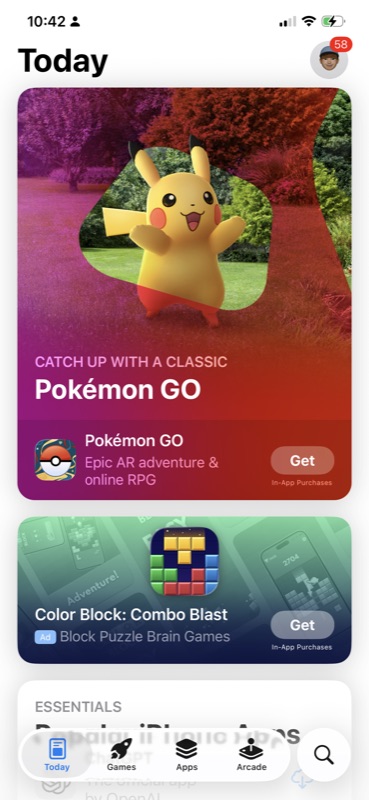
Open the App Store
Launch the App Store app on your iPhone or iPad. Tap your profile icon in the top-right corner.
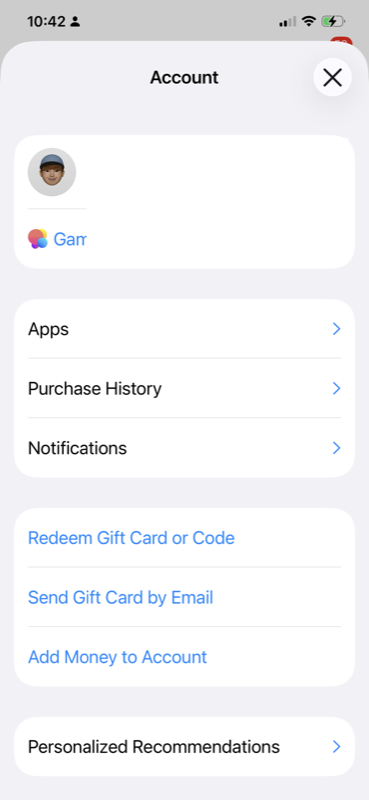
Find "Redeem Gift Card or Code"
On your Account page, scroll down and tap "Redeem Gift Card or Code".
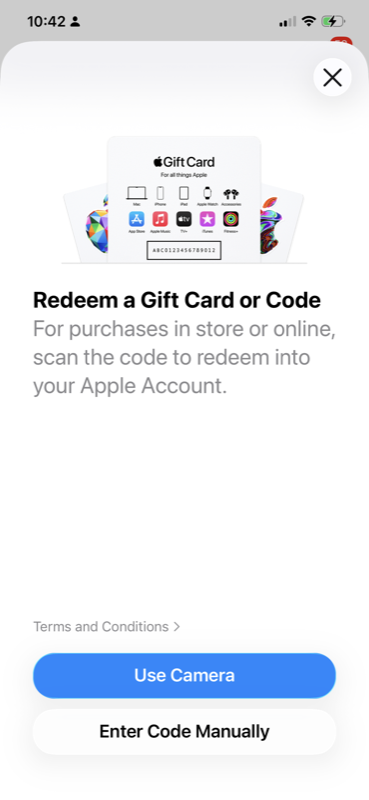
Select "Enter Code Manually"
Tap "Enter Code Manually" at the bottom of the screen.
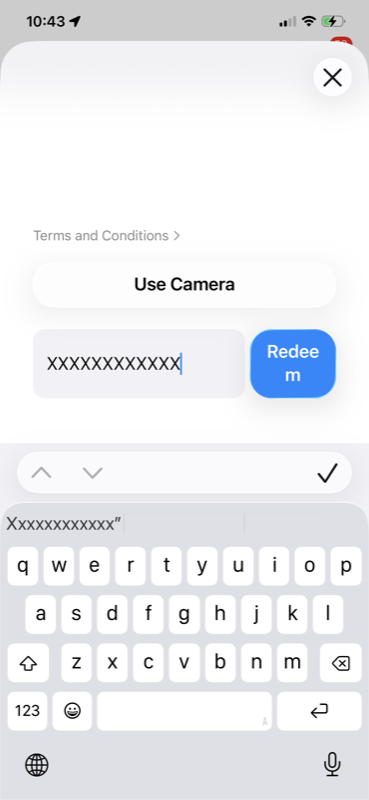
Enter your promo code
Type or paste your promo code, then tap "Redeem".
Enjoy Chat Labs 1AI!
Your premium features are now unlocked. Start using all 300+ AI models right away!
Love the app?
Please leave a review on the App Store!
Leave a reviewImportant notes
- Promo codes can only be redeemed once and are tied to your Apple ID.
- Make sure you're signed in with the correct Apple ID before redeeming.
- Promo codes are region-specific and may only work in certain App Store regions.
- If you haven't downloaded the app yet, the promo code will prompt you to download it.
Troubleshooting
"Code has already been redeemed"
Each promo code can only be used once. If you see this error, the code may have already been used.
"Code is not valid in your region"
Promo codes are often region-locked. Make sure your App Store region matches the region the code was generated for.
"Invalid code"
Double-check that you've entered the code correctly. Promo codes are case-sensitive and don't include spaces.
Need help?
Having trouble? Our support team is here to help.
Contact support